


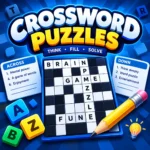
Crossword Puzzles is a fun and challenging word puzzle game that tests your vocabulary, spelling, general knowledge, and logical thinking. If you enjoy brain games and solving clever clues, this classic puzzle experience is a great way to challenge yourself while having fun. Play Crossword Puzzles online on BrainFocusPlay and discover how many words you can solve!
The objective of this crossword puzzle game is simple: read the clues, find the correct answers, and fill the empty squares in the grid. Each word connects with other answers, so every letter matters. A correct answer can help you solve several clues, while one incorrect letter may make the rest of the puzzle more difficult.
Whether you are a beginner learning to solve word puzzles or an experienced player looking for a new challenge, Crossword Puzzles offers an enjoyable way to test your language skills. Take your time, think carefully about each clue, and use the crossing letters to discover words you might otherwise miss.
One of the best things about crossword games is that they combine relaxation with problem-solving. You can enjoy a quick puzzle during a break or spend more time working through difficult clues. Start playing Crossword Puzzles on BrainFocusPlay and see if you can complete the entire grid!
How to Play
Learning how to play Crossword Puzzles is easy, even if you are new to word games. Your goal is to solve the clues and fill every required square with the correct letters.
- Start the game: Open Crossword Puzzles and select the available puzzle or difficulty level.
- Read the clues: Look at each question or hint to understand which word is required.
- Choose a word: Think of an answer that matches the clue and the number of available squares.
- Fill in the grid: Select the appropriate squares and enter the letters of your answer.
- Use crossing words: Check the intersecting answers to confirm letters and eliminate incorrect guesses.
- Review your answers: Correct any mistakes and complete the remaining clues.
- Finish the puzzle: Fill in all required squares to solve the crossword successfully.
Features
- Classic crossword gameplay: Solve clues and fill a grid with connected words.
- Vocabulary challenges: Test your spelling, word knowledge, and ability to understand clues.
- Logical problem-solving: Use intersecting letters to work out difficult answers.
- Easy-to-learn controls: Select squares and enter letters using the available game controls.
- Relaxing puzzle experience: Enjoy a slower-paced game that rewards patience and careful thinking.
- Suitable for different skill levels: Beginners can start with familiar words, while experienced players can tackle more challenging clues.
- Quick gaming sessions: Complete a few clues during a short break or work toward finishing the whole puzzle.
- Browser-based convenience: If the version on BrainFocusPlay runs directly in your browser, you can start playing without installing a separate game.
Platforms
PC and laptop
Use your mouse to select cells and your keyboard to enter letters, if supported by the game.
Mobile phones
Tap the crossword grid and use the on-screen keyboard if the game supports mobile devices.
Tablets
Use touch controls on compatible browser versions.
Controls
Tips and Strategies
Want to solve Crossword Puzzles faster? These practical strategies can help you complete word grids more efficiently.
1. Begin with the easiest clues. Answer familiar questions first. Short, obvious words can reveal useful letters in several intersecting answers.
2. Use crossing letters. Every completed word provides clues for other words. If you are uncertain about an answer, check which letters fit the connected entries.
3. Pay attention to word length. Count the available squares before entering an answer. This helps eliminate words that do not fit the grid.
4. Look for common word patterns. Recognize familiar prefixes, suffixes, plurals, and common letter combinations to narrow down possible answers.
5. Read each clue carefully. A clue may refer to a synonym, a person, a place, an object, or a general-knowledge fact. Consider alternative meanings instead of choosing the first word that comes to mind.
6. Avoid guessing too quickly. An incorrect letter can interfere with multiple intersecting words. Use the available evidence before committing to an answer.
7. Return to difficult clues later. Move to another part of the crossword when you get stuck. Newly completed words may provide the missing letters you need.
8. Build your vocabulary. When you discover an unfamiliar word, learn its meaning and spelling. Remembering new words can make future crossword puzzles easier.
9. Practice regularly. Playing word puzzles consistently helps you become more familiar with common clue styles and improve your solving approach.
10. Check the entire grid before finishing. Review uncertain entries and verify that all required squares are filled correctly.
Similar Games
If you enjoy Crossword Puzzles, try these other word and brain games. They are useful related-game recommendations for players browsing the puzzle category on BrainFocusPlay.
A word puzzle game where you connect letters to form words and complete crossword challenges. A good choice for players who enjoy vocabulary-based puzzles.
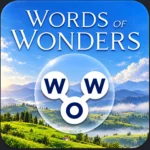
A relaxing browser-based crossword game with scenic backgrounds, progressive challenges, and word-solving gameplay.
A classic crossword experience in which you use Across and Down clues to complete the grid.
Crossword Puzzle Redstone
A large collection of human-made crossword puzzles with different difficulty levels, including options for offline play
Learn more about the history of crossword puzzles .
Release Date
14 janvier 2021
Developer
MBoffin (Dylan)
Last Updated
September 30, 2026
Price
Free to play on BrainFocusPlay.
Players
1 Player/ single player
FAQ
These questions target common search intents around playing crossword puzzles, game controls, difficulty, and browser compatibility.
1. What is Crossword Puzzles?
Crossword Puzzles is a word puzzle game where players solve clues and fill a grid with letters. The goal is to complete the crossword by finding words that fit the clues and intersect correctly.
2. Can I play Crossword Puzzles online for free?
Yes, you can play Crossword Puzzles for free on BrainFocusPlay if the version provided on the website is available without payment.
3. How do you play Crossword Puzzles?
Read the clues, select the matching squares, and enter the letters for each answer. Use crossing words to check your answers and complete the grid.
4. What are the controls for Crossword Puzzles?
Most browser crossword games use a mouse and keyboard on computers or touch controls on compatible mobile devices. The exact controls depend on the version.
5. Can I play Crossword Puzzles on my phone?
You can play on a phone if the game supports mobile browsers and touch input. A responsive game interface makes selecting squares and entering letters easier.
6. Is Crossword Puzzles suitable for beginners?
Yes. Beginners can start with familiar clues and short words, then use intersecting letters to solve more difficult answers.
7. Does Crossword Puzzles help improve vocabulary?
Crossword puzzles encourage players to recall words, understand clues, and practice spelling. They can provide a fun way to learn new words, although results depend on how you play.
8. Can I play Crossword Puzzles without downloading anything?
Yes, if you play the browser-based version on BrainFocusPlay. You can start directly from the game page without installing a separate application.
9. Is Crossword Puzzles a single-player game?
Traditional crossword puzzle games are usually single-player experiences. Check the specific version to confirm whether multiplayer features are available.
10. What games are similar to Crossword Puzzles?
Similar games include Crocword, Word Wonders, Daily Crossword, and Crossword Puzzle Redstone. These games offer different ways to solve clues, find words, and challenge your vocabulary.
11. Who developed Crossword Puzzles?
The developer depends on the particular game. One version listed by Yepi credits Genius Games, but you should verify that this matches the game published on BrainFocusPlay.
12. When was Crossword Puzzles released?
The release date varies between games with this title. Verify the date against the original game's listing before publishing it as a fact.


Embed this game