


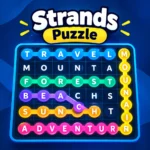
Strands Puzzle is an engaging online word search game that challenges players to discover hidden words connected by a common theme. Combining vocabulary, observation, and logical thinking, this exciting word puzzle offers a fresh twist on traditional letter-search games. If you enjoy daily brain teasers, word challenges, and clever puzzles, Strands Puzzle is a great way to test your skills.
The goal is to find every theme-related word hidden inside a grid of letters. Unlike a classic word search, the words can move horizontally, vertically, and diagonally, changing direction along the way. The most important challenge is finding the special word or phrase known as the spangram, which describes the puzzle's overall theme and connects two opposite sides of the grid.
Whether you are a beginner learning new vocabulary or an experienced puzzle enthusiast looking for a mental challenge, Strands Puzzle provides an enjoyable way to sharpen your word recognition and problem-solving skills. Read the theme carefully, connect the letters, and uncover every hidden answer.
Play Strands Puzzle online on BrainFocusPlay and discover how many words you can find!
How to Play
Learning how to play Strands Puzzle is easy, but finding every hidden word can be challenging. Follow these steps to solve the puzzle.
Step 1: Read the theme. Start by reading the clue displayed above the letter grid. The theme helps you understand which words you need to find.
Step 2: Search for hidden words. Look carefully at the letters and identify words related to the theme. Words may be formed horizontally, vertically, diagonally, or through a combination of directions.
Step 3: Connect the letters. Use your mouse or touchscreen to select connected letters and form a complete word. Letters can change direction during a word, allowing you to create winding paths across the grid.
Step 4: Discover the spangram. Find the special word or phrase that summarizes the theme and touches two opposite sides of the board. In the original Strands game, the spangram is highlighted differently from the regular theme words.
Step 5: Find every theme word. Continue searching until you discover all the required words and complete the puzzle. If you get stuck, use available hints when the game supports them.
Step 6: Improve your skills. Practice regularly, explore unfamiliar words, and look for connections between the theme and the letters on the board.
Features
- Creative word-search gameplay: Find hidden words related to a shared theme.
- Challenging letter grid: Search for words hidden among seemingly random letters.
- Flexible letter paths: Connect letters horizontally, vertically, and diagonally.
- Spangram challenge: Discover the special answer that describes the puzzle's theme.
- Vocabulary development: Practice word recognition and explore connections between words.
- Brain-training experience: Exercise concentration, observation, and problem-solving.
- Accessible puzzle mechanics: Easy-to-understand rules make the game suitable for new and experienced players.
- Daily puzzle challenge: The original New York Times Strands features a new puzzle each day.
- Hint system: In the original game, finding three valid non-theme words unlocks a hint that helps reveal a theme word.
- Single-player entertainment: Enjoy a focused puzzle-solving experience at your own pace.
Platform
Strands Puzzle is a browser-friendly word puzzle designed for players who enjoy solving vocabulary challenges online.
- PC: Play using a desktop or laptop web browser.
- Mobile: Use a compatible smartphone browser to select letters on the grid.
- Tablet: Enjoy the puzzle on a larger touchscreen.
- Downloads: No separate download is required when playing a browser-based version.
- Game mode: Single-player puzzle solving.
Controls
Desktop controls
- Mouse click and drag: Connect letters to form a word.
- Mouse movement: Follow the letter path across the grid.
- Release the mouse button: Complete the selection, depending on the version.
Mobile and tablet controls
- Touch and drag: Connect adjacent letters.
- Lift your finger: Submit the selected word, depending on the version.
Goal: Find every hidden theme word and discover the spangram to complete the puzzle.
Tips and Strategies
1. Understand the theme first. Think of related objects, places, expressions, categories, and synonyms before selecting letters.
2. Search for the spangram. In the original Strands game, the spangram stretches between two opposite sides of the grid. Identifying it can help you understand the theme and locate other answers.
3. Check diagonal connections. Do not restrict yourself to straight horizontal or vertical words. Diagonal letters and changes in direction are essential parts of the puzzle.
4. Look for familiar word endings. Letter combinations such as -ING, -ED, -ER, and -TION can help you recognize possible answers.
5. Explore the corners and edges. Start with unusual letter combinations near the edges of the grid, where a word's path may be easier to trace.
6. Think about synonyms. If a word does not appear immediately, consider alternative words related to the clue.
7. Use hints strategically. If your version offers hints, save them for words that remain difficult after a thorough search.
8. Avoid rushing. Take a moment to inspect the grid before making selections. A careful approach can reveal connections that you might otherwise overlook.
9. Learn from completed puzzles. Review unfamiliar words and notice how their letter paths connect. This can improve your performance in future challenges.
10. Practice consistently. Regular word puzzles help you build familiarity with letter patterns, vocabulary, and thematic associations.
Similar games
Wordle : Guess a hidden five-letter word in a limited number of attempts. Ideal for players who enjoy vocabulary and daily word challenges.
Connections: Group words into four categories by identifying their shared relationships. A strong match for fans of themed word puzzles.
Word Search: Find words hidden in a letter grid. It is a natural alternative for players who enjoy searching for connected letters.
Spelling Bee: Create words from a set of letters while using the required central letter. Great for players who want to expand their vocabulary.
Boggle: Find as many words as possible by connecting neighboring letters in a grid. A close alternative for fans of fast word-finding challenges
Strands is a daily word-search-style game from The New York Times. If you enjoy it, you might also like other NYT word puzzles.
Release Date
March 4, 2024
Developer
Last update
Price
Free
Players
FAQ
What is Strands Puzzle?
Strands Puzzle is a themed word-search game in which players connect letters to discover hidden words. The original version from The New York Times also includes a special answer called the spangram.
How do you play Strands Puzzle?
Read the theme clue, search for related words in the letter grid, and connect adjacent letters horizontally, vertically, or diagonally. Find every theme word and the spangram to finish the original puzzle.
Can I play Strands Puzzle online for free?
Yes, the original daily Strands puzzle can be played online for free, although subscription features and the terms of other versions may differ.
Is Strands Puzzle available on mobile?
Yes. The original Strands game is available through compatible mobile web browsers and the New York Times Games app. Other browser-based versions may also work on smartphones and tablets.
What is a spangram in Strands Puzzle?
A spangram is the special word or phrase that summarizes the puzzle's theme and connects two opposite sides of the grid. It is a key part of the original Strands game.
How do you get hints in Strands Puzzle?
In the original game, finding three valid words that are not part of the theme unlocks a hint. The hint highlights the letters of a hidden theme word.
Who developed Strands Puzzle?
The New York Times Games team developed the original Strands game. Other games using the Strands name may have different developers.
What are the best strategies for solving Strands Puzzle?
Start with the theme clue, search for the spangram, check diagonal letter connections, consider synonyms, and use hints when needed. Practice can help you recognize patterns more quickly.
Does Strands Puzzle have a new puzzle every day?
The original New York Times version releases a new daily puzzle. Some independent Strands-style games also offer unlimited puzzles or additional game modes.
Can I download Strands Puzzle?
You do not need a separate download to play a browser-based version. The original game can be accessed online, and the New York Times Games app is also available for mobile devices.

Embed this game